A free AI keyword research tool with no sign-up
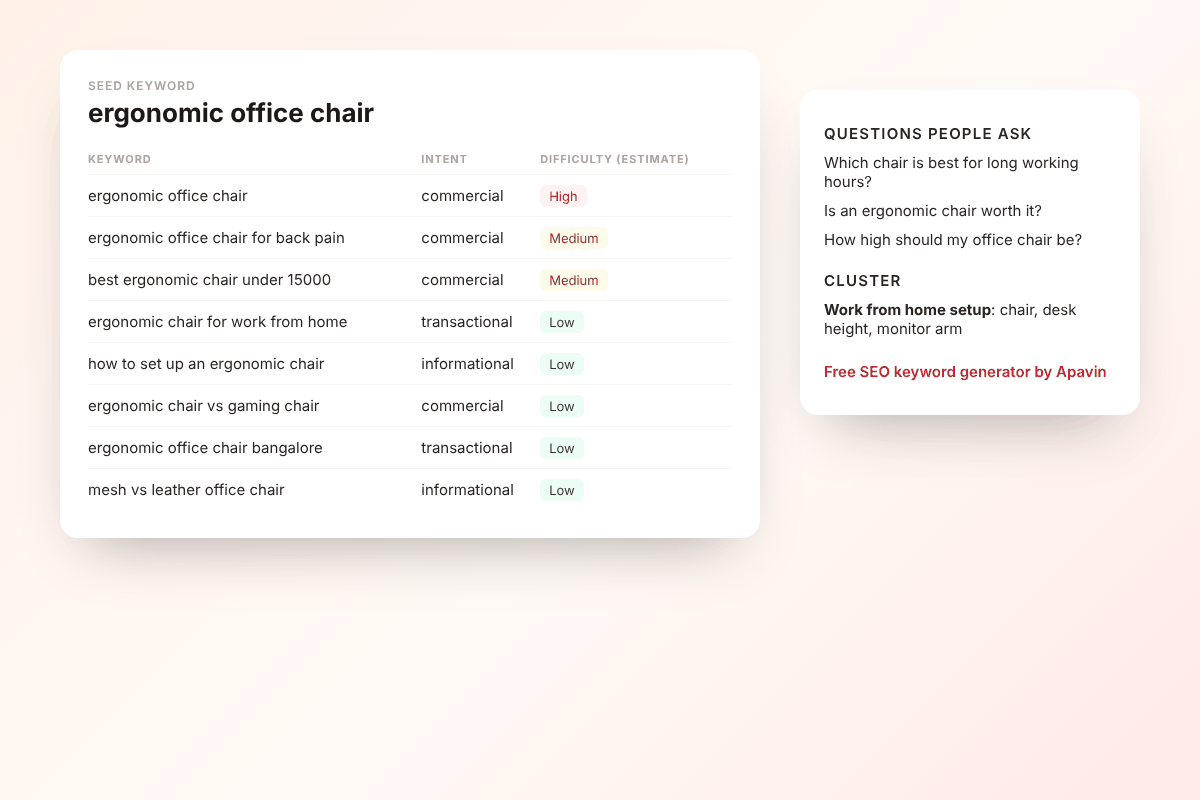
Most keyword tools lock results behind a trial. Apavin's free SEO keyword generator gives you primary keywords, long-tail keywords, questions, clusters and content ideas in one go, free, with CSV export and no account. Think of it as a free keyword finder and content planner built into one page.
It is one of Apavin's free AI tools, alongside a free AI resume maker, a free LinkedIn post builder and a free AI couple photo generator.
What is keyword research, and why it comes first
Keyword research is finding the words and questions your customers type into Google, so you can create pages that answer them. It tells you what to write, what to call it, and how people will judge whether your page is the answer they wanted.
Good keyword research starts broad with a seed keyword, then narrows into long-tail keywords, questions and comparisons, grouped into clusters. Each cluster becomes a pillar page with supporting articles linking to it.
Long-tail keywords: why small phrases win
Long-tail keywords are longer, more specific searches like ergonomic office chair for back pain under 15000. Each one has fewer searches than the head term, but together they make up most search traffic, they are far less competitive, and the people searching them know what they want.
For a new website, long-tail keywords are the fastest way to rank and earn traffic. Start with low-difficulty, high-intent phrases, publish genuinely useful pages, and build up to the broad terms.
Search intent: matching the keyword to the page
Informational searches want to learn, so they suit guides and blog posts. Commercial searches compare options, so they suit comparisons and best-of pages. Transactional searches are ready to buy, so they suit product and pricing pages. Navigational searches look for a specific brand or site.
Ranking depends on matching intent. A product page will not rank for a how-to query, and a blog post rarely ranks for buy now. The generator labels every keyword with its intent so you can put it on the right page.
How to use these keywords on your page
Put the primary keyword in the title tag, the H1, the URL and the first 100 words. Use related long-tail keywords in subheadings and naturally in the text. Answer the questions in an FAQ section, add descriptive alt text to images, and link to related pages in the same cluster.
Write for people first. Search engines penalise pages stuffed with repeated keywords; they reward pages that fully answer the search better than anything else.
Free keyword tool versus paid SEO tools
Paid tools such as Ahrefs and Semrush show measured search volumes and backlink data. This free AI keyword generator is for the step before: finding the phrases, questions and clusters worth checking and writing about. It never shows invented volumes.
Use it to plan a content calendar in minutes, then confirm priorities with Google Search Console once your pages start getting impressions.